What Is Bob Player IPTV and Who Is It For?
Bob Player IPTV is a media player for Android-based devices built specifically for streaming IPTV content. It sits comfortably between the ultra-simple apps that barely function and the deeply complex ones that require a manual to operate. The design philosophy behind Bob Player IPTV is accessibility — built so that a non-technical household can set it up in 10 minutes and use it confidently every day.
That approach makes Bob Player IPTV a genuinely good fit for specific audiences:
- First-time IPTV users who find apps like TiviMate overwhelming on first glance
- Older viewers who want a clear, readable interface without complex menus
- Mixed households where multiple family members of varying tech comfort levels share the same device
- Users frustrated by other apps who want something that just works without excessive configuration
It’s also worth being honest about what Bob Player IPTV isn’t particularly designed for: power users who want catch-up TV, complex recording schedules, or deep customization. For those needs, TiviMate Pro is the better tool. Bob Player IPTV‘s strength is simplicity and reliability, not feature depth.
How to Install Bob Player IPTV on Your Device
On Android TV Box
Bob Player IPTV is available on the Google Play Store for Android TV. Search for “Bob Player” directly in the Play Store on your Android TV box and install it — no additional steps needed. Once installed, Bob Player IPTV launches immediately and prompts you to add your first playlist.
On Amazon Fire Stick
Bob Player IPTV requires sideloading on Fire Stick since it’s not in the Amazon App Store. The process takes about 5 minutes:
Enable Unknown Sources
Go to Fire Stick Settings → My Fire TV → Developer Options → Install Unknown Apps. Enable “Downloader” as an allowed source.
Install Downloader from Amazon App Store
Search for and install the free Downloader app — the standard tool for sideloading APKs on Fire Stick.
Download Bob Player APK via Downloader
Open Downloader and enter the Bob Player APK download URL. Search “Bob Player APK download” on your phone to get the current link, then type it carefully in Downloader.
Install the APK and launch
Tap Install when prompted. After installation, delete the downloaded APK to recover storage space, then launch Bob Player from your app list.
How to Add Your Bob Player IPTV Playlist
Adding your Bob Player IPTV playlist is the most critical setup step — without it, the app has nothing to display. Bob Player IPTV supports both M3U URL and Xtream Codes connection formats, and both work equally well.
Method A: M3U URL
Open Bob Player and go to playlist settings
Launch the app. On first launch you’ll be prompted to add a source. In subsequent sessions, look for the settings or playlist menu — usually a “+” button or gear icon.
Select “Add M3U URL”
Choose the M3U option from the available playlist types. An input field for the URL will appear.
Enter your M3U URL carefully
Type or paste the M3U URL provided by your IPTV provider. The URL is case-sensitive — one wrong character prevents the playlist from loading. If typing with a remote, go slowly and verify each character.
Name the playlist and save
Give your playlist a descriptive name like “Services IPTV” and confirm. Bob Player will begin loading your channel list.
Wait for channels to appear
A 54,000+ channel library may take 3–5 minutes on first load. Future loads are faster once the app has cached the structure locally.
Method B: Xtream Codes API
Select “Xtream Codes” as your connection type
From the playlist setup screen, choose Xtream Codes API or Portal as the source type.
Enter server URL, username, and password
Input your server URL (including port number, e.g., http://server.domain.com:8080), username, and password. All three are required and case-sensitive.
Connect and load channels
Confirm the connection. Bob Player authenticates with your provider’s servers and loads your complete channel list including live TV and VOD content.
Setting Up EPG in Bob Player IPTV
The Electronic Program Guide is one of the most useful features in Bob Player IPTV — it shows what’s currently airing and what’s coming up next on each channel. Configure it via the playlist settings inside the app:
- EPG URL: Your provider supplies an EPG URL alongside your playlist credentials. Enter it in Bob Player’s EPG settings field within playlist configuration.
- EPG format: Bob Player accepts standard XMLTV format files (.xml or .xml.gz) — the format used by virtually all IPTV providers.
- Update schedule: Set EPG to auto-refresh every 12 or 24 hours to keep program information current.
- Channel matching: EPG data matches channels by ID. If some channels show no guide data, contact your provider about channel ID alignment.
Bob Player IPTV — Key Features That Matter
M3U & Xtream Codes
Full support for both major IPTV connection formats. Compatible with virtually every IPTV subscription provider.
Simple Navigation
Clean category-based channel browsing designed for remote control use — easy for any household member.
EPG Support
Program guide integration showing current and upcoming content. Requires your provider’s EPG URL for full data.
Favorites
Mark channels as favorites for quick access — essential when your library has thousands of channels.
Channel Search
Find channels by name without browsing categories. Fast and accurate for large libraries.
VOD Playback
Browse and play on-demand movies and series from your IPTV provider’s library directly within Bob Player.
Multi-Device
Use the same credentials on Android TV, Fire Stick, phone, and tablet.
Fast Channel Switching
Low-latency channel changes make browsing comfortable on both newer and older Android hardware.
What Channels Can You Watch on Bob Player IPTV?
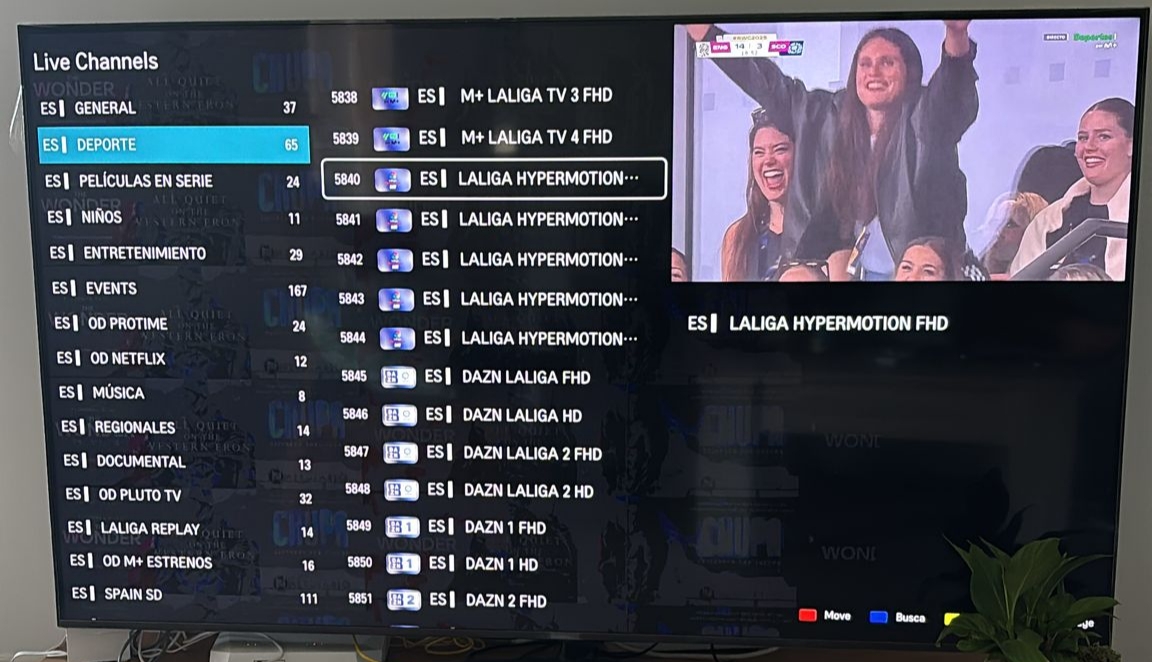
Bob Player IPTV doesn’t provide channels by itself — it plays what your IPTV subscription provides. The app acts as the player; your provider supplies the content. With Services IPTV paired with Bob Player IPTV, you’ll have access to:
- 54,000+ live channels — US, UK, Canadian, Arabic, European, and Asian content
- 168,000+ movies on demand across all genres and languages
- 42,000+ TV series including current season episodes and complete archive series
- Sports: NFL, NBA, MLB, NHL, Premier League, Champions League, LaLiga, F1, boxing, UFC
- News: BBC News, CNN, Fox News, Al Jazeera, France 24, DW, and dozens more
- Kids: Disney Channel, Cartoon Network, Nickelodeon, CBeebies
- Quality: HD standard, 4K available for compatible devices and content
IPTV Subscription Pricing — Services IPTV
Bob Player IPTV vs Other IPTV Players — Honest Comparison
| Feature | Bob Player | TiviMate Pro | iBO Player Pro | IPTV Smarters |
|---|---|---|---|---|
| Setup difficulty | Very easy | Moderate | Easy | Easy |
| Samsung Smart TV | ✘ | ✘ | ✔ Native | ✘ |
| LG Smart TV | ✘ | ✘ | ✔ Native | ✘ |
| Fire Stick | ✔ APK | ✔ APK | ✔ APK | ✔ APK |
| Android TV | ✔ Play Store | ✔ Play Store | ✔ | ✔ Play Store |
| iOS / iPhone | ✘ | ✘ | ✘ | ✔ |
| EPG support | ✔ Good | ✔ Excellent | ✔ Very good | ✔ Good |
| Catch-up TV | ✘ | ✔ Pro only | ✘ | ✘ |
| Recording | ✘ | ✔ Pro only | ✘ | ✘ |
| Best for | Beginners, simple use | Power users, Fire Stick | Samsung/LG Smart TVs | iOS users |
Device Compatibility
| Device | Platform | Install Method | Notes |
|---|---|---|---|
| Android TV Box | Android TV | Google Play Store | Easiest installation — direct from Play Store |
| Amazon Fire Stick | Fire OS | APK via Downloader | Requires Unknown Sources enabled first |
| NVIDIA Shield | Android TV | Google Play Store | Best performance available |
| Android Phone | Android 5.0+ | Google Play Store | Touch-optimized interface |
| Android Tablet | Android 5.0+ | Google Play Store | Good for bedroom or travel use |
| Samsung Smart TV | Tizen OS | Not available | Use iBO Player Pro instead |
Troubleshooting Bob Player IPTV — Common Problems Solved
Playlist Not Loading in Bob Player IPTV
Always check credentials first — M3U URLs and Xtream Codes details are case-sensitive. Copy them from your phone rather than typing from memory, and verify character by character. Also confirm your IPTV subscription is active and that Bob Player IPTV has a working internet connection.
Video Buffering on Bob Player IPTV
Try these steps in order: switch from Wi-Fi to Ethernet (resolves buffering for most users), run a speed test (you need 10+ Mbps per HD stream, stable), test the same channel at a different time (peak-hour buffering that disappears off-peak points to server capacity), try a different channel (channel-specific buffering usually indicates a server issue rather than your network or Bob Player IPTV itself).
EPG Not Showing Program Information
Verify your EPG URL is correctly entered in Bob Player IPTV playlist settings. Try clearing the EPG cache and refreshing manually. Some channels may have no guide data — this is normal and depends on your provider’s EPG coverage.
App Crashes on Startup
Clear Bob Player IPTV cache from Settings → Apps → Bob Player → Clear Cache. If the issue persists, uninstall and reinstall the app. Note that clearing data removes your playlist configuration — you’ll need to re-enter your credentials after reinstalling.
Try Bob Player IPTV with a Quality Subscription
54,000+ live channels, 168,000+ movies, 42,000+ series — fully compatible with Bob Player IPTV‘s M3U and Xtream Codes formats. Free trial available, no commitment needed.